当前位置:首页 > 技术心得 > 正文内容

CC254x android6.x无法配对

xjtudll11年前 (2015-12-18)技术心得7540

参考资料:

https://e2e.ti.com/support/wireless_connectivity/bluetooth_low_energy/f/538/t/457958

问题:

配对时提示密码或PIN错误,但是根本就没有到输入密码这一步,就直接说密码错误了。

环境:

android 6.0,CC254x,协议栈:V1.4.0

原因:

Check remote LMP version before enabling secure connections Request remote version information for LE links when connecting and ensure LMP version is >= 8 (Bluetooth 4.2) before setting the LinkKey bits in the pairing request. This is to ensure older remote devices do not get confused by the additional bit(s) in the pairing request.
"
This change, when incorporated by the respective phone/tablet manufacturers, will ensure BLE 1.4.0 (and previous releases) are compatible with Android6 / BT4.2. All CC254x SW (e.g. BLE 1.4.0) will report an LMP version of 6 (BT4.0).

解决办法:

升级协议栈的V1.4.1。

不过android6.0.1(2015.12.9 Nexus 5)似乎解决了这个bug。

Peripherals that are Pairing with Android devcies that do not yet incorporate this change will need BLE 1.4.1 to remain compatible with smart devices that implement LE Secure Connections (BT4.2) Pairing.

扫描二维码推送至手机访问。

版权声明:本文由鸟的天空发布,如需转载请注明出处。

本文链接:http://xjtudll.cn/Exp/376/

分享给朋友:

“CC254x android6.x无法配对” 的相关文章

source insight导入配置文件

source insight导入配置文件

Source insight的配置文件默认路径如下:\Documents\Source Insight\Settings 中文版本的在: \我的文档\Source Insight\设置 option -- load configuration可以选择source insight使用的配置文件。 &...

STM32串口发送数据首字符丢失解决办法

STM32串口发送数据首字符丢失解决办法

现象: 串口发送数据时,第一个字符丢失 例如,发送“system init\r\n”,最后收到的是“ystem init\r\n”,在此之后发送的数据均正常。 错误代码: 原因分析: TC 和 TXE 标志位在复位的时候被置1 ,这样第一次whil...

xcopy用法中的排除复制

利用xcopy进行排除复制 xcopy /e /s /h /exclude:uncopy.txt  mail  mail_x mail为源文件夹,mail_x为目标文件夹 uncopy.txt(所要排除的文件以及文件夹关键字)如:内容如下,表示排除文件夹或文件名中含有以下字眼的内...

CTE递归限制次数

CTE递归限制次数

https://blog.csdn.net/weixin_30247159/article/details/98657005 CTE可以用来取递归,网上资料很多,这里就不再叙述了,今天遇到的需求是要限制只取2级,然后加了个临时的lev with tree as ( select [Cu...

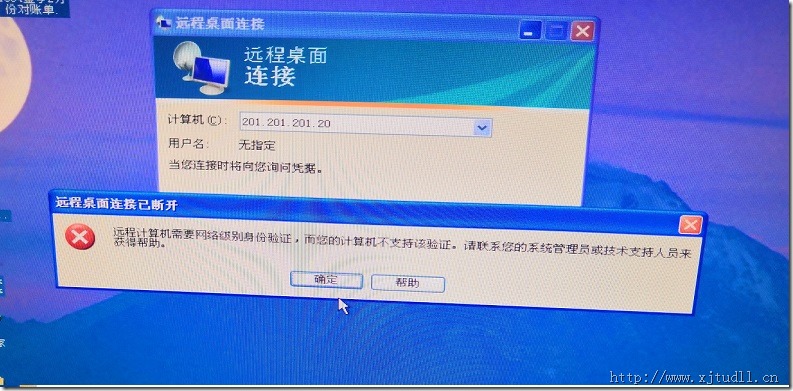
远程计算机需要网络级别身份验证,而您的计算机不支持该验证

远程计算机需要网络级别身份验证,而您的计算机不支持该验证

问题:使用Win7可以连接服务器的远程桌面,使用XP不行。 服务器是Windows Server 2012 解决办法有两种: 一、修改本地电脑设置 参考资料:https://jingyan.baidu.com/article/380abd0a713f061d91192c63.html 1、点击开始...

IOS获取应用程序的名称和版本号

应用程序的名称和版本号等信息都保存在mainBundle的一个字典中,用下面代码可以取出来。 NSDictionary* infoDict =[[NSBundle mainBundle] infoDictionary]; NSString* versionNum =[infoDict object...

发表评论

访客

◎欢迎参与讨论,请在这里发表您的看法和观点。